
How a Malaysian seller is paid
ORUS is a UK company. A seller in the UK is paid through a Stripe account that Stripe opens under ORUS; a seller in Malaysia cannot hold one of those, so you are paid a different way: by international bank transfer from ORUS's own account into your Malaysian bank account, through Stripe Global Payouts. There is no Stripe account on your side, nothing to log in to and nothing to keep. You give Stripe your bank account once, on a form it hosts, and ORUS pays into it.
Every sale of your products is paid to ORUS in pounds. Your share, the price of your items less ORUS's commission, is sent to you per parcel: once you mark an order shipped, the payment is queued and sent early the next afternoon, Malaysian time, converted to ringgit by Stripe at its rate on the day. It arrives as an international wire in one to three working days.

Before you start
Decide which you are. Paid as an individual is for a sole proprietor, an enterprise registered in your own name, or anyone whose bank account is in their own name; you are ready the moment the bank account is confirmed. Paid as a business is for a Sdn Bhd or other registered company, paid into the company's account; Stripe checks the company's details first, usually within a day.
The name on the bank account must match the name you give Stripe. A bank account in your own name works for an individual even if you trade under a business name.
- Your legal name, or the company's registered name, and a home or business address that is not a PO box
- Your bank, from the list Stripe offers (Maybank, CIMB, Public Bank, RHB, Hong Leong, AmBank, Bank Islam, BSN and the rest), and the account number
- About five minutes. No SWIFT code, no copy of your IC, no photograph

1. Choose how you are paid
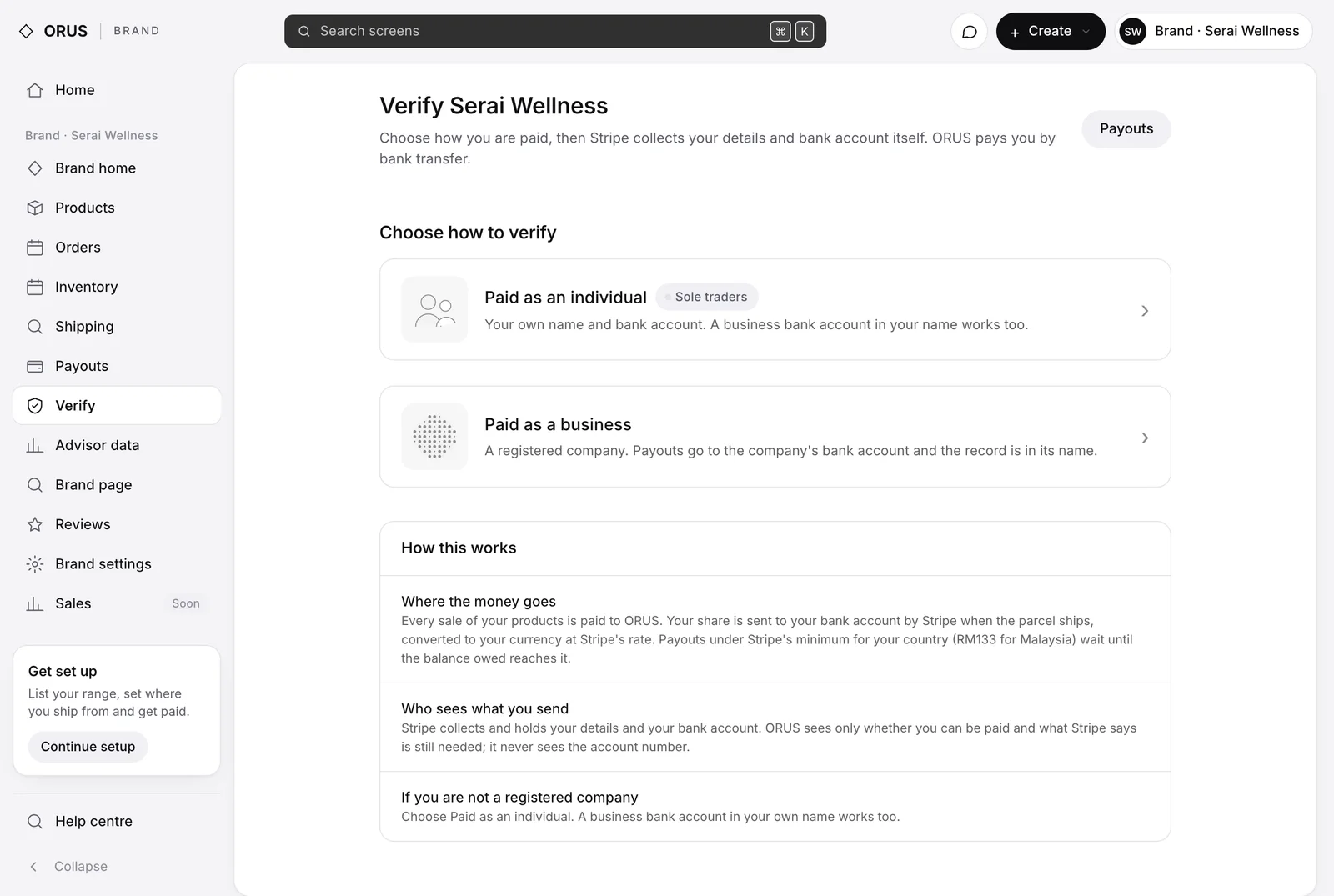
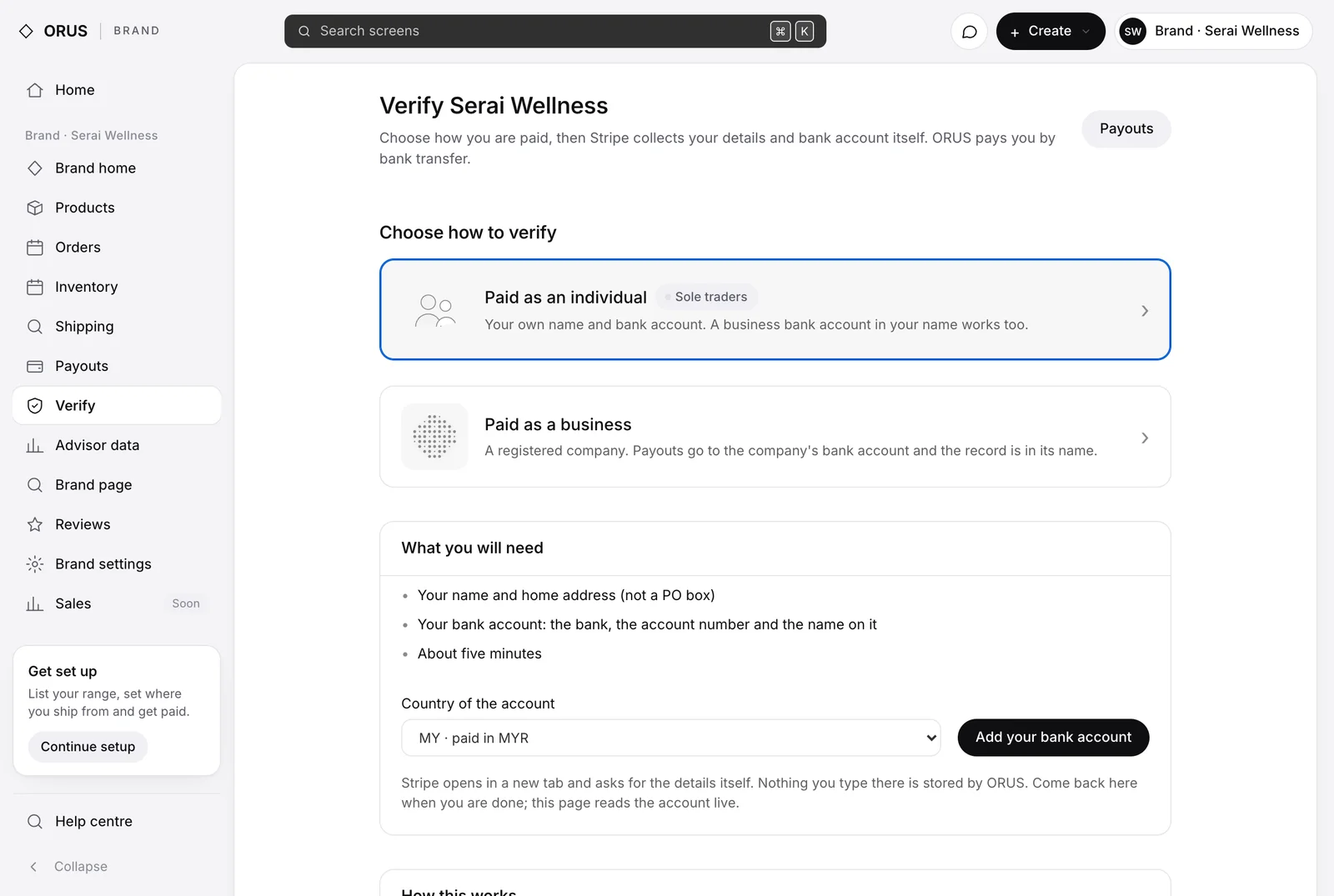
On app.orus.uk open Verify. Choose Paid as an individual or Paid as a business. The page lists what you will need, then Add your bank account opens Stripe's form in a new tab. Nothing you type there is stored by ORUS; ORUS only ever sees whether you can be paid.
2. On Stripe's form
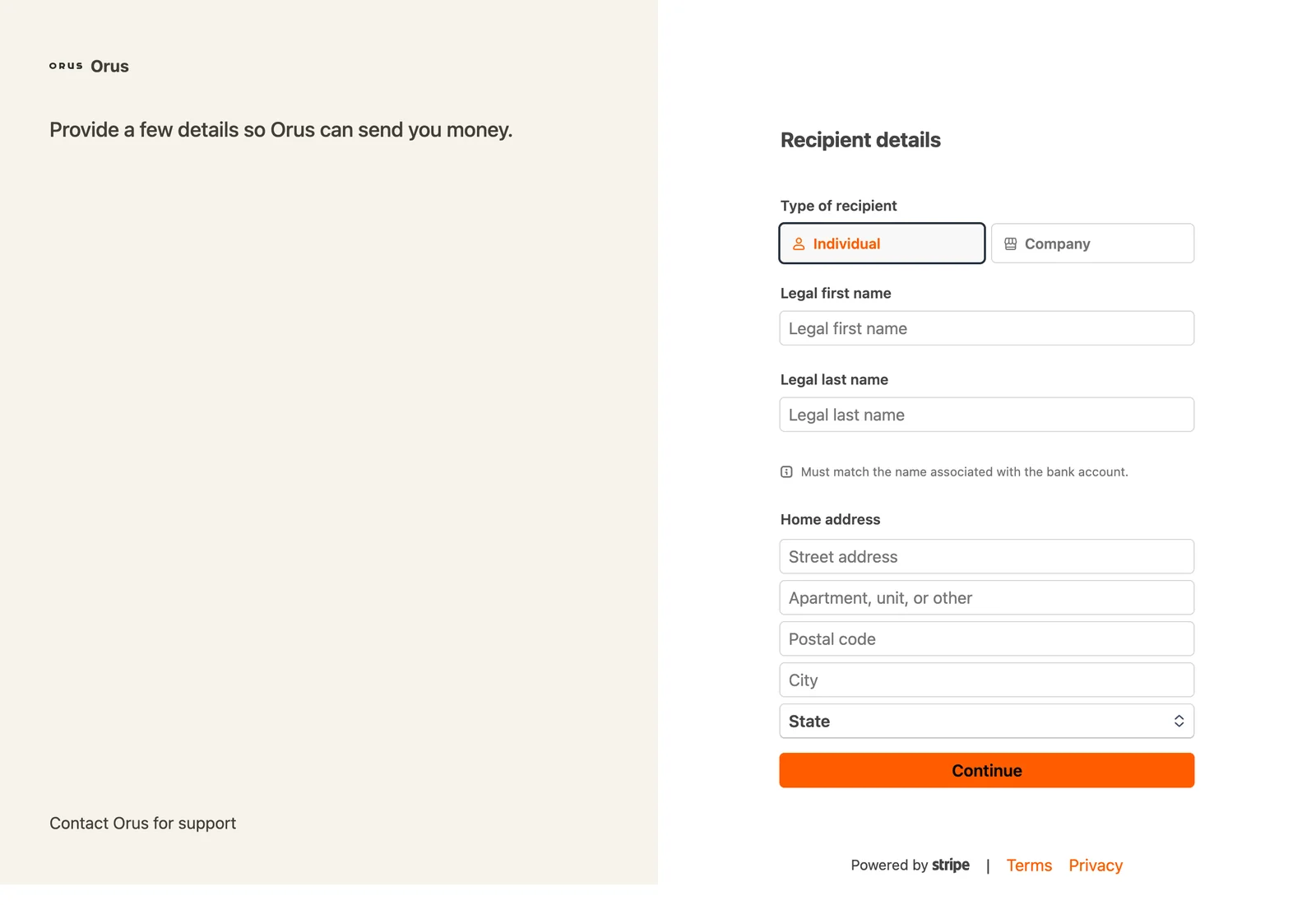
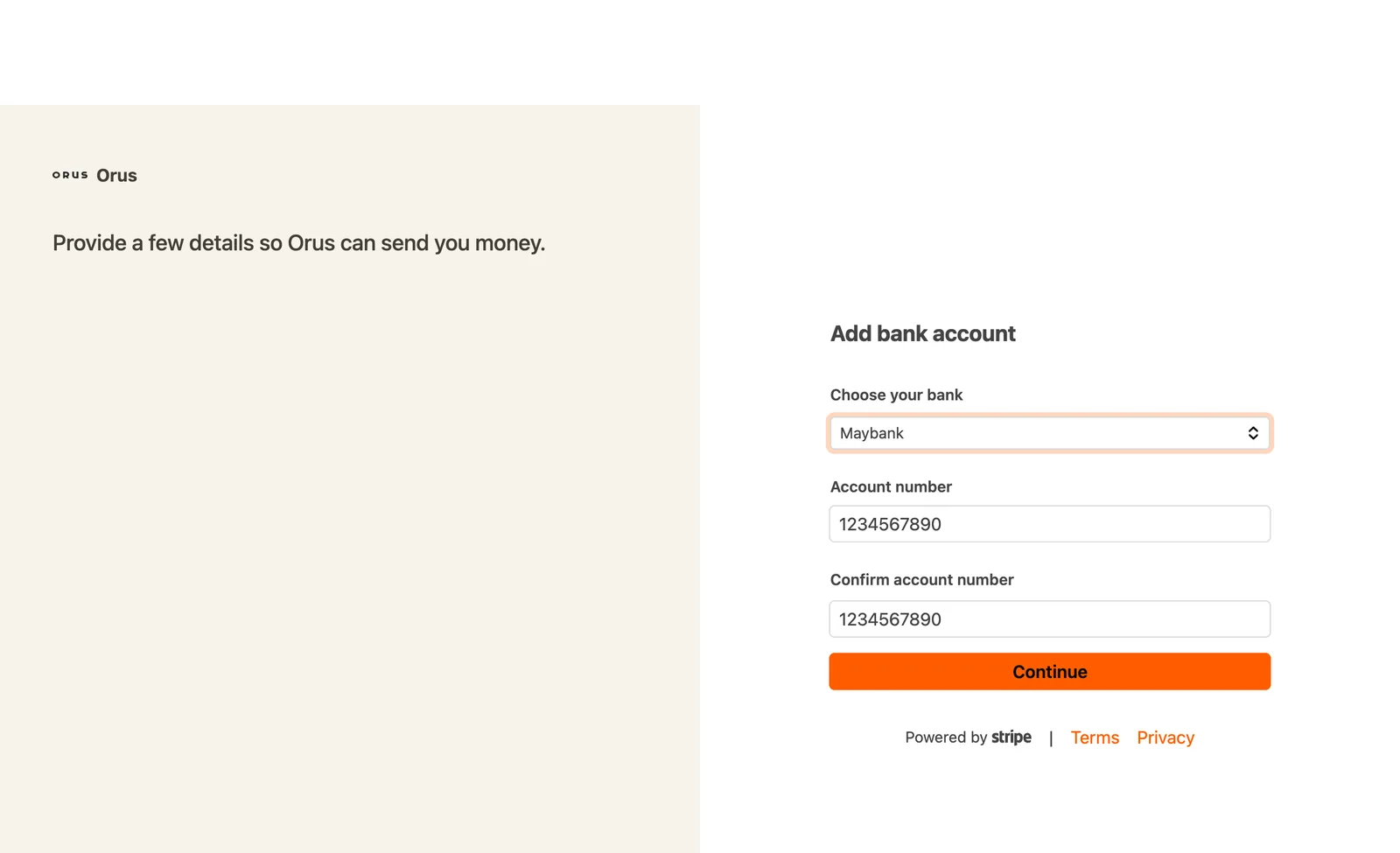
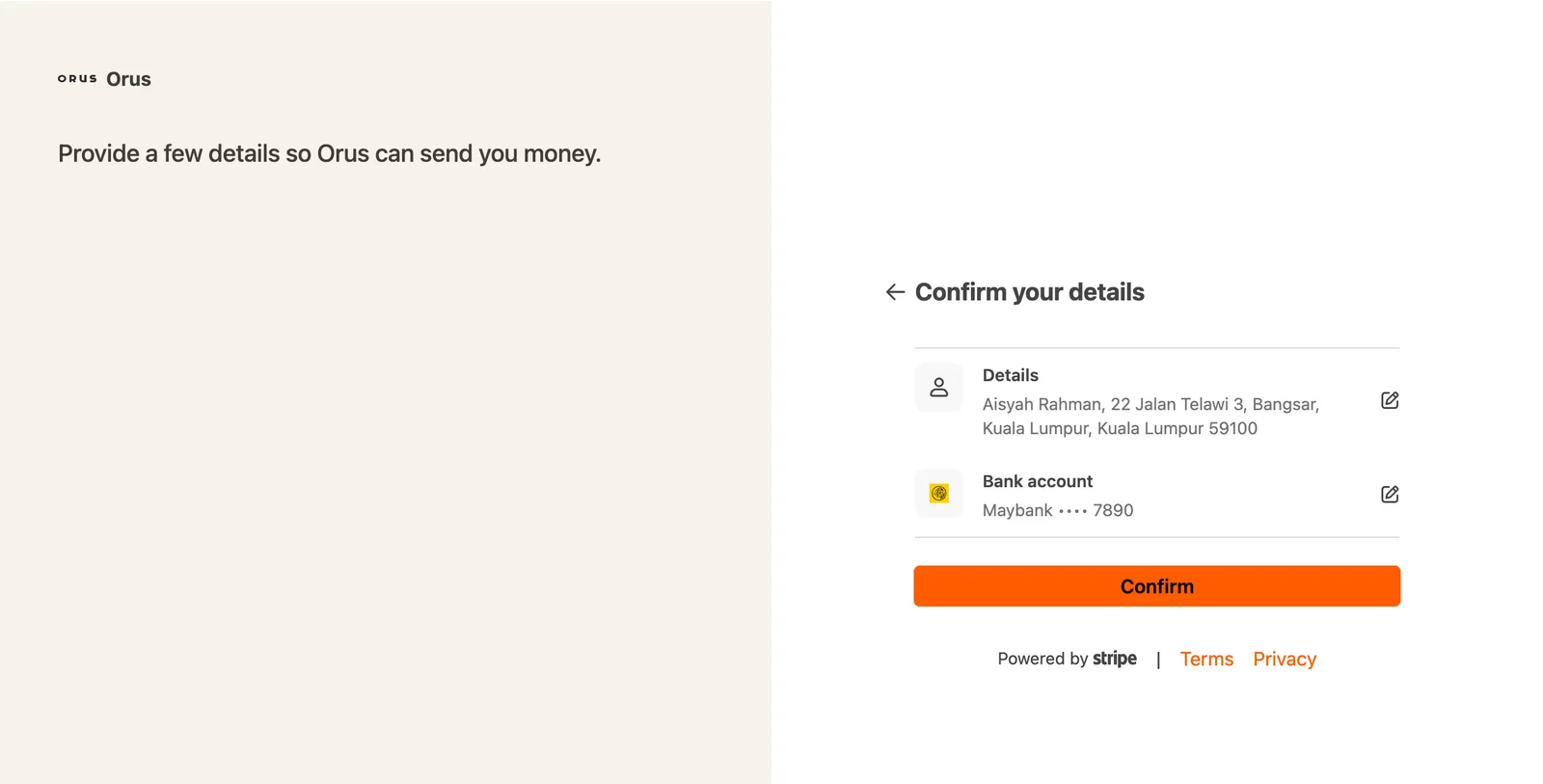
Stripe asks for three things, each on its own page: your legal first and last name and your home address with its state; your bank, chosen from a list of Malaysian banks (search by name), and your account number, typed twice; and a last page to confirm both. A registered company is asked for its registered name and address instead of a personal name.
3. Back on ORUS
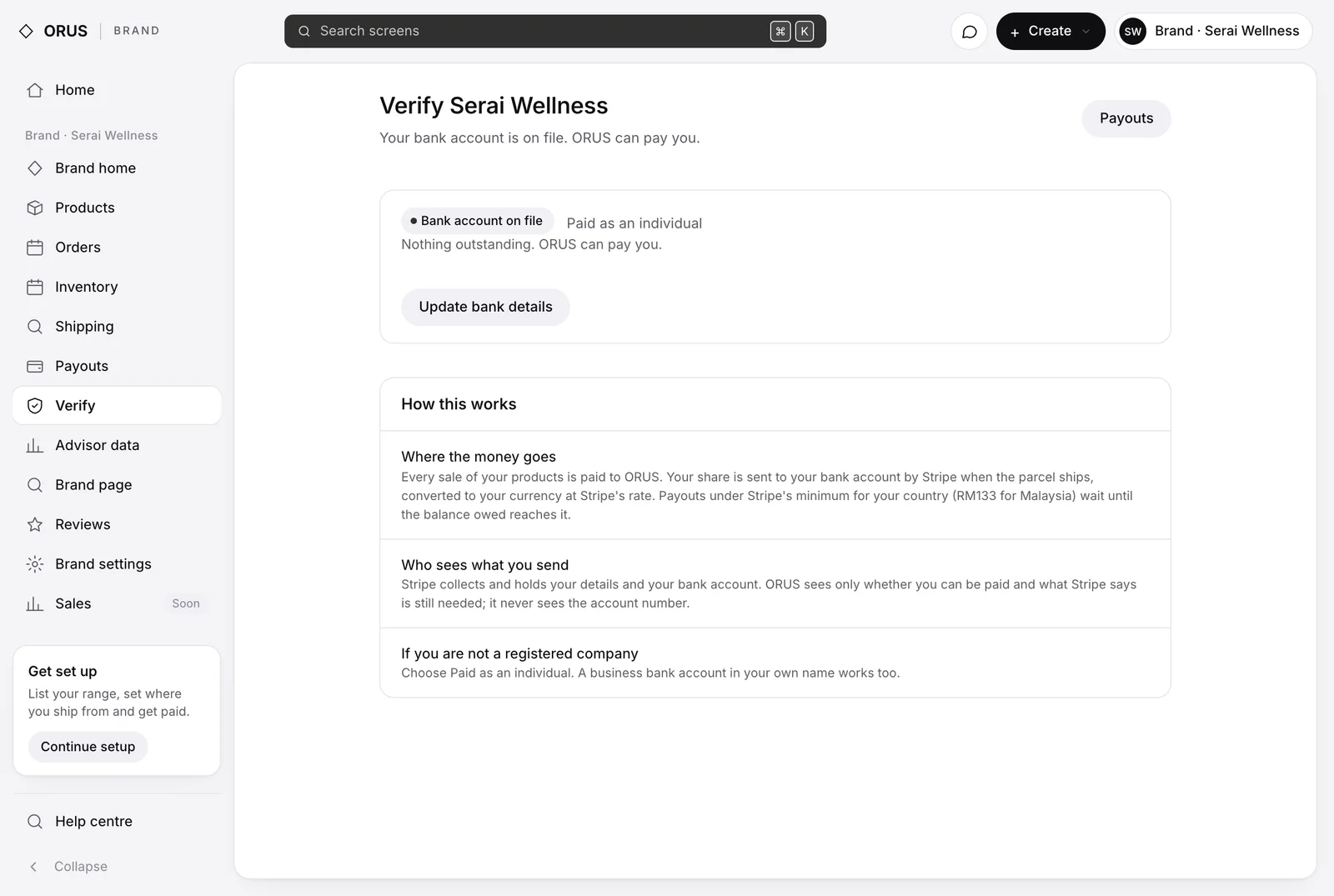
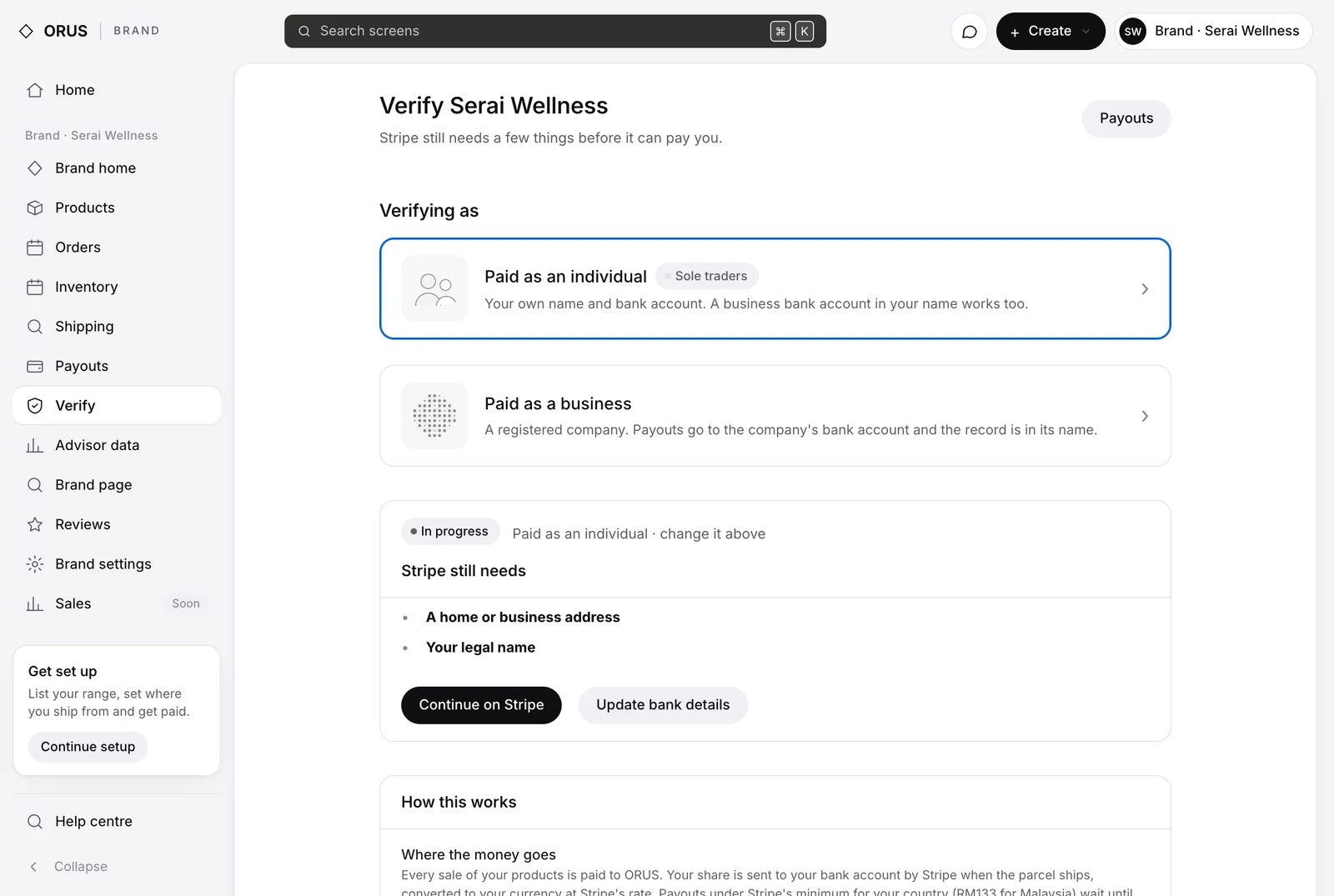
Close Stripe's tab and open Verify again. As an individual you will see Bank account on file straight away: nothing outstanding, ORUS can pay you. A registered company sees In progress with what Stripe still needs while Stripe verifies the company; any money owed to you meanwhile is held, not lost, and is sent the morning after Stripe is satisfied.
4. Your payouts
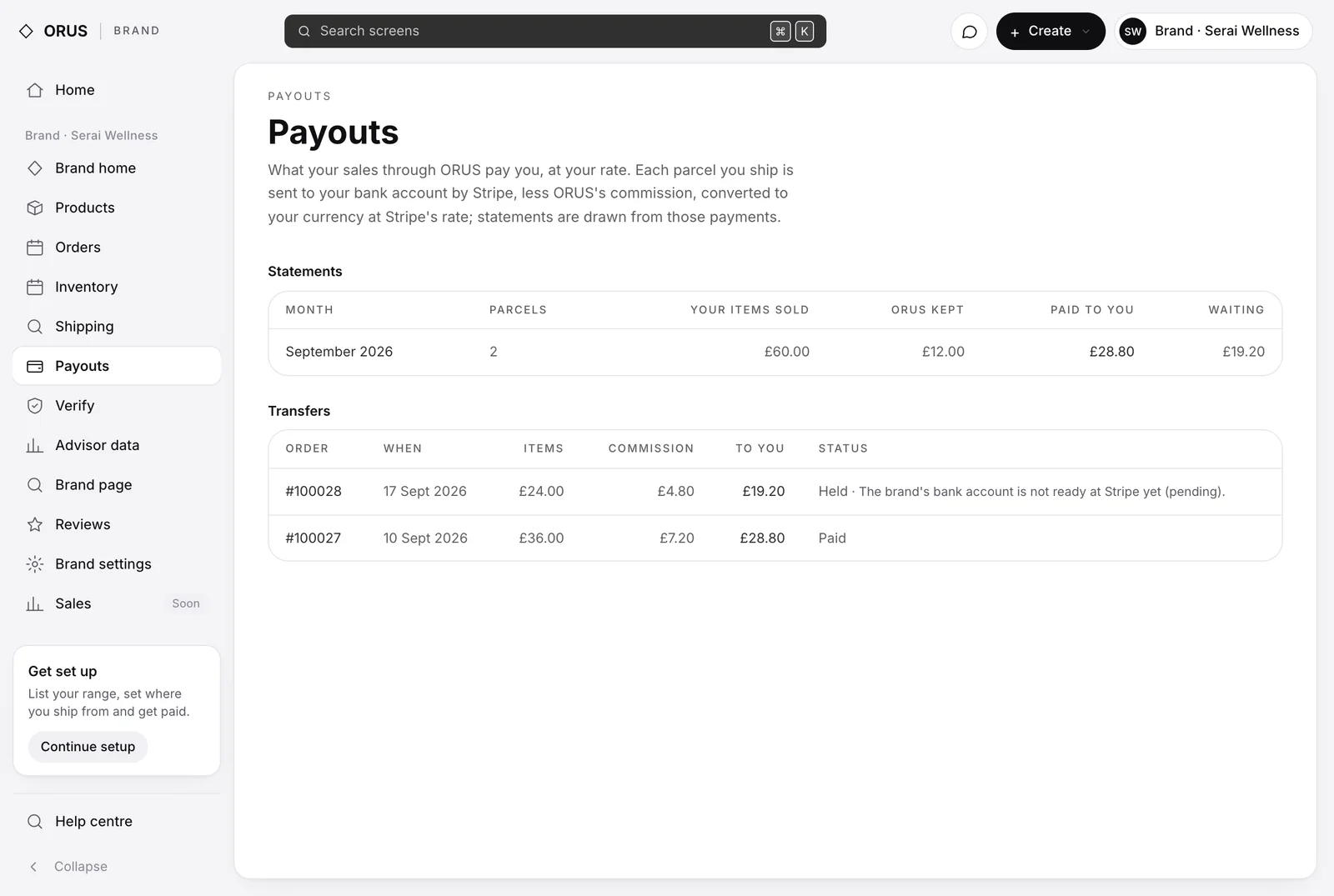
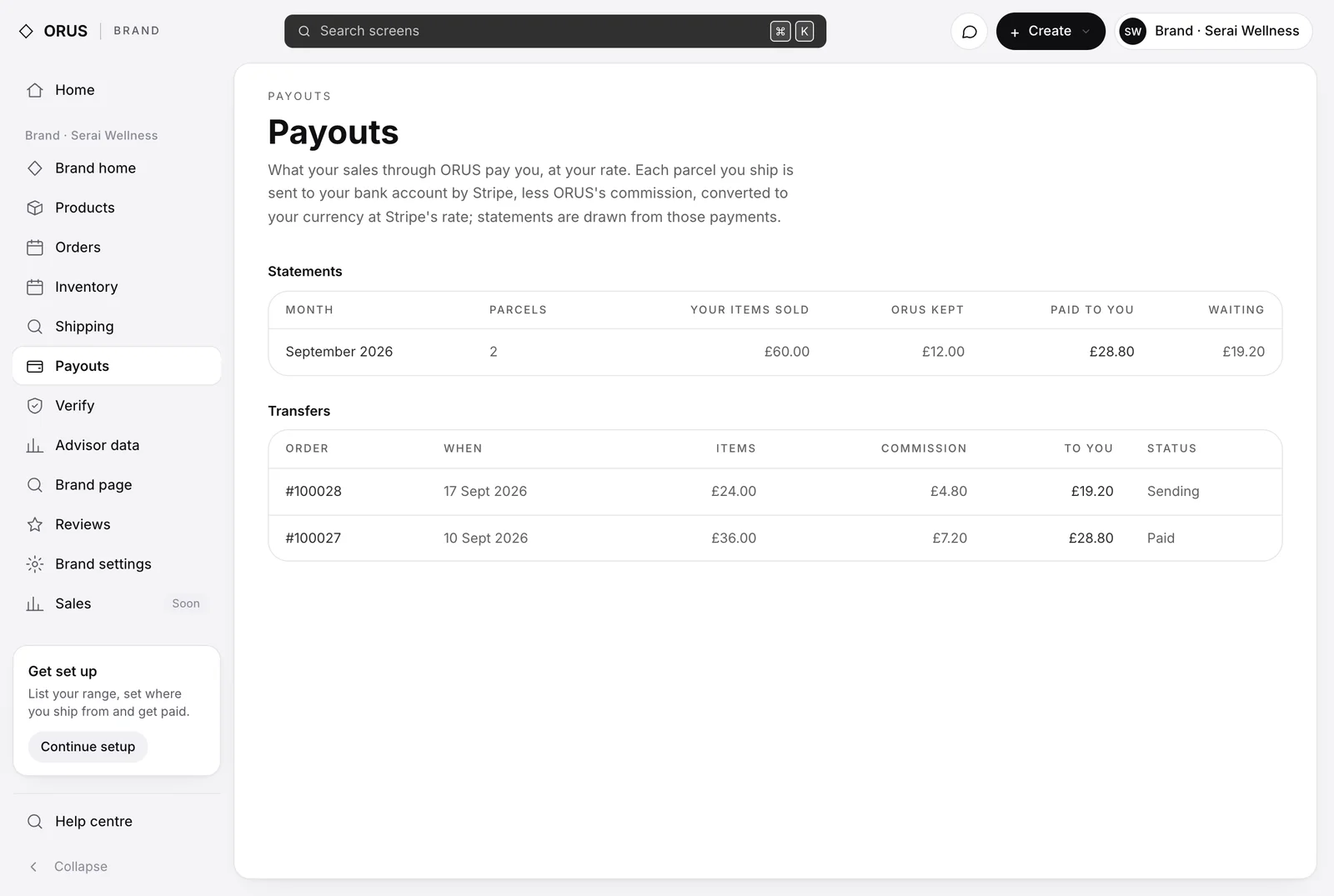
Payouts, in your console, lists every parcel: what your items sold for, what ORUS kept, what was sent to you, and its state. A parcel that cannot be paid yet says why on its own row. The statement above adds the month up.
Stripe will not send a payout to Malaysia under RM133. If a single parcel comes to less, ORUS holds it and pays it together with your next one once the balance owed reaches the minimum. You can change the bank account at any time from Verify; Update bank details reopens Stripe's form.
The transfer fee and the cross-border charge are ORUS's. Your own bank may deduct a fee for an incoming international transfer, which is between you and your bank.
Questions at this step
Do I need a Stripe account?
No. Stripe holds your bank account on ORUS's behalf and ORUS pays into it. There is no account to open, no dashboard and no password.
Am I paid in ringgit?
Yes. Orders are charged in pounds today and your share is converted to ringgit by Stripe at its rate on the day it is sent, so the exact ringgit figure moves with the rate.
Which banks can I use?
Any Malaysian bank on Stripe's list, which covers the major ones and most of the rest: Maybank, CIMB, Public Bank, RHB, Hong Leong, AmBank, Bank Islam, BSN, OCBC, HSBC, UOB and Standard Chartered among them. Search by name on Stripe's form.
I trade under a business name but the bank account is mine. Which do I choose?
Paid as an individual. What matters is the name on the bank account, and yours is on it.
We are a Sdn Bhd. What is different?
Choose Paid as a business. Stripe asks for the company's registered name and address and pays into the company's account, and it checks the details before the first payout, usually within a day.
A parcel came to less than RM133. Where is my money?
Held for you, and paid with your next parcel once what you are owed adds up to Stripe's minimum. Your Payouts page shows it as waiting with that reason.
Is there a fee to be paid?
Not from ORUS. The international transfer fee and the cross-border charge are ours. Your own bank may deduct a small fee for receiving an international transfer.